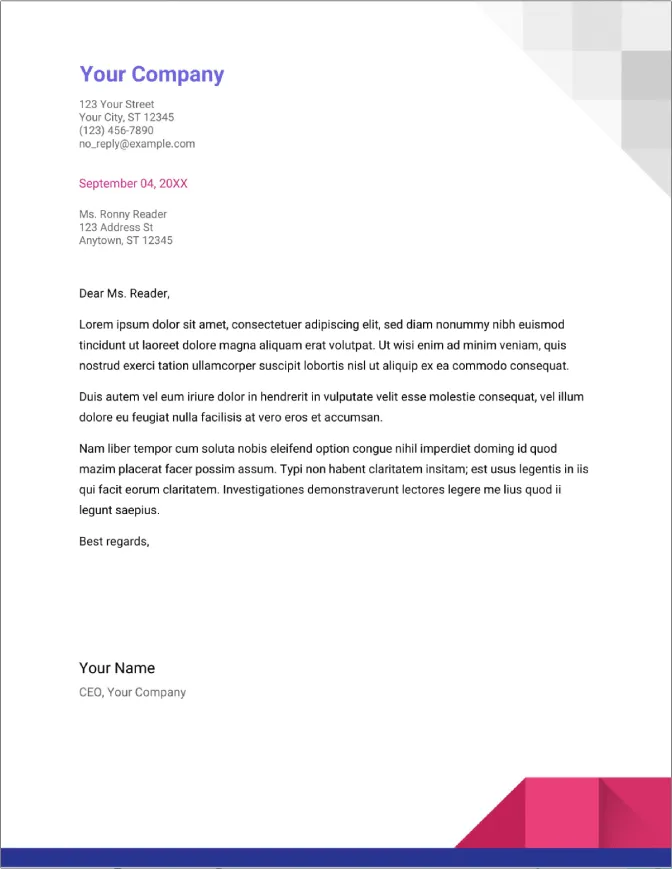
In today’s competitive job market, a well-crafted cover letter can significantly increase your chances of landing an interview. Google Docs offers a convenient and accessible platform for creating professional cover letters. This guide will walk you through the process, from understanding the benefits of using Google Docs to formatting and content creation, ensuring your cover letter makes a lasting impression.
Why Use Google Docs for Your Cover Letter
Google Docs provides numerous advantages when creating your cover letter. Its user-friendly interface, collaborative features, and accessibility make it a preferred choice for many job seekers. Unlike traditional word processors, Google Docs offers real-time saving and easy sharing options, simplifying the entire writing process.
Easy Access and Editing
One of the primary benefits of Google Docs is its accessibility. You can access and edit your cover letter from any device with an internet connection. This flexibility allows you to work on your document anytime, anywhere, ensuring you never miss an opportunity to refine your application.
Collaboration Features

Google Docs allows for seamless collaboration. You can easily share your cover letter with friends, mentors, or career advisors for feedback. Real-time editing and commenting features make it simple to incorporate suggestions and refine your document collaboratively. This collaborative approach ensures your cover letter is polished and error-free.
Template Availability
Google Docs provides a variety of pre-designed cover letter templates. These templates offer a professional starting point, saving you time and effort. You can customize these templates to match your personal brand and the specific requirements of the job you are applying for. Using a template ensures a consistent and professional appearance.
Getting Started Creating a Cover Letter in Google Docs
Creating a cover letter in Google Docs is a straightforward process. Whether you choose to use a template or start from scratch, the platform’s intuitive design makes it easy to get started. This section will guide you through accessing Google Docs, selecting a template, and customizing your document.
Accessing Google Docs

To begin, open your web browser and go to Google Docs. You can access it directly by typing ‘docs.google.com’ into your address bar, or by logging into your Google account and selecting ‘Docs’ from the Google Apps menu. Once on the Google Docs homepage, you are ready to create your cover letter. Be sure to have your resume on hand to extract the appropriate skills and experience.
Choosing a Template
Google Docs offers a variety of cover letter templates to suit different needs. To browse the templates, click on ‘Template gallery’ at the top of the page. Scroll through the available options and select a template that aligns with your style and the industry you’re targeting. Choose a template that is well-organized and easy to customize. Consider choosing a template that matches your resume.
Starting from Scratch
If you prefer to create your cover letter from scratch, click on the ‘Blank’ document option. This allows you complete control over the design and formatting. Starting from scratch gives you the flexibility to create a cover letter that perfectly reflects your personality and professional brand. If you choose this method, you will have to add all the formatting yourself.
Formatting Your Cover Letter in Google Docs

Formatting your cover letter correctly is crucial for making a positive first impression. Proper formatting enhances readability and conveys professionalism. Google Docs provides all the necessary tools to format your cover letter effectively. This section focuses on font selection, margins, spacing, and header/footer customization.
Font and Size Selection
Choose a professional and readable font, such as Arial, Times New Roman, or Calibri. Maintain a consistent font throughout your cover letter. The recommended font size is between 10 and 12 points. A larger font size can make the document appear less professional, while a smaller font size can make it difficult to read. Make sure that it is simple and professional looking.
Margins and Spacing
Set your margins to one inch on all sides for a balanced and clean look. Use single spacing within paragraphs and double spacing between paragraphs. Proper spacing improves readability and prevents the document from appearing cluttered. This ensures the hiring manager can easily navigate and absorb the information presented.
Header and Footer Customization

You can add a header to include your name and contact information. Consider adding the page number in the footer, especially if your cover letter extends to multiple pages. Using headers and footers helps maintain consistency and professionalism throughout the document. Ensure the header and footer do not detract from the main content.
Essential Content for Your Cover Letter
The content of your cover letter is the most critical aspect. It should effectively communicate your skills, experience, and enthusiasm for the position. Ensure that you include the necessary information to highlight your qualifications. This includes your contact details, the hiring manager’s information, a compelling opening paragraph, a skills and experience section, and a clear call to action.
Your Contact Information
At the top of your cover letter, include your full name, address, phone number, and professional email address. Make sure that your contact information is current and easily accessible. The hiring manager will need this information to contact you for an interview, therefore accuracy is key. Double-check everything.
The Hiring Manager’s Information

If possible, address your cover letter to a specific hiring manager or recruiter. Research the company to find the correct name and title. Addressing your letter to a specific individual demonstrates initiative and personalization. If you can’t find a name, use a professional greeting such as “Dear Hiring Manager”.
Opening Paragraph and Introduction
Start with a strong opening that grabs the reader’s attention. State the position you are applying for and briefly mention how you found the opportunity. Clearly state your interest in the role and the company. This is your chance to make a great first impression and encourage the reader to continue reading your letter. Be concise and professional.
Highlighting Your Skills and Experience
Use the body of your cover letter to highlight your relevant skills and experience. Tailor your content to the specific requirements of the job description. Provide specific examples of how you have demonstrated the skills the employer is seeking. Quantify your achievements whenever possible to showcase your impact. Focus on accomplishments, not just responsibilities.
Closing and Call to Action

End your cover letter with a strong closing paragraph that reiterates your interest in the position. Thank the hiring manager for their time and consideration. Include a call to action, such as expressing your availability for an interview. Be polite and enthusiastic, and proofread your letter to make sure everything is perfect.
Tips for Writing a Compelling Cover Letter
Crafting a compelling cover letter requires more than just filling in the blanks. It involves tailoring your content to the specific job, using keywords strategically, and ensuring the document is free of errors. This section offers some practical tips to help you create a cover letter that stands out. These tips will help you create a truly persuasive cover letter.
Tailoring to the Job Description
Carefully review the job description and identify the key skills and qualifications the employer is seeking. Customize your cover letter to address these specific requirements. Emphasize the relevant skills and experience you possess and provide examples of how you have used them successfully. This personalization demonstrates that you have thoroughly researched the role.
Using Keywords Effectively
Incorporate keywords from the job description naturally throughout your cover letter. Applicant Tracking Systems (ATS) often scan cover letters for these keywords. While you don’t want to stuff your letter with keywords, including them strategically can increase your chances of getting noticed. Make sure that the keywords used are relevant to both your skills and the job requirements.
Proofreading and Editing
Thoroughly proofread and edit your cover letter before submitting it. Check for any grammatical errors, spelling mistakes, and typos. Ask a friend or mentor to review your letter as well. A polished and error-free cover letter reflects professionalism and attention to detail, making a positive impact on the hiring manager.
Saving and Sharing Your Cover Letter
Once your cover letter is complete, it’s time to save and share it. Google Docs provides several options for saving and sharing your document, ensuring it is accessible and easily submitted with your job application. The ability to save in multiple formats and share the document makes for a seamless application process.
Downloading as a PDF
To maintain the formatting of your cover letter, download it as a PDF file. Click on ‘File’ then ‘Download’, and select ‘PDF document (.pdf)’. A PDF format ensures your cover letter looks the same on any device. Always submit your cover letter as a PDF unless the application instructions specify otherwise.
Sharing the Document Link
If required, you can share your cover letter directly from Google Docs by sharing the document link. Click the ‘Share’ button in the top right corner. Adjust the sharing settings to allow anyone with the link to view or comment on your document. This method is useful for sharing your cover letter with mentors or for collaborative reviews.
Cover Letter Example
Here is a sample structure of a cover letter to give you a better idea on how to write your own cover letter. Please remember to modify this to suit your experience and the job posting.
In conclusion, Google Docs is an excellent tool for creating professional cover letters. Its accessibility, collaboration features, and template options make the process efficient and effective. By following the tips in this guide, you can create a compelling cover letter that will impress potential employers and increase your chances of landing your dream job. Remember to tailor each cover letter to the specific job and company for the best results. Good luck with your job search!