What is an Electronic Cover Letter
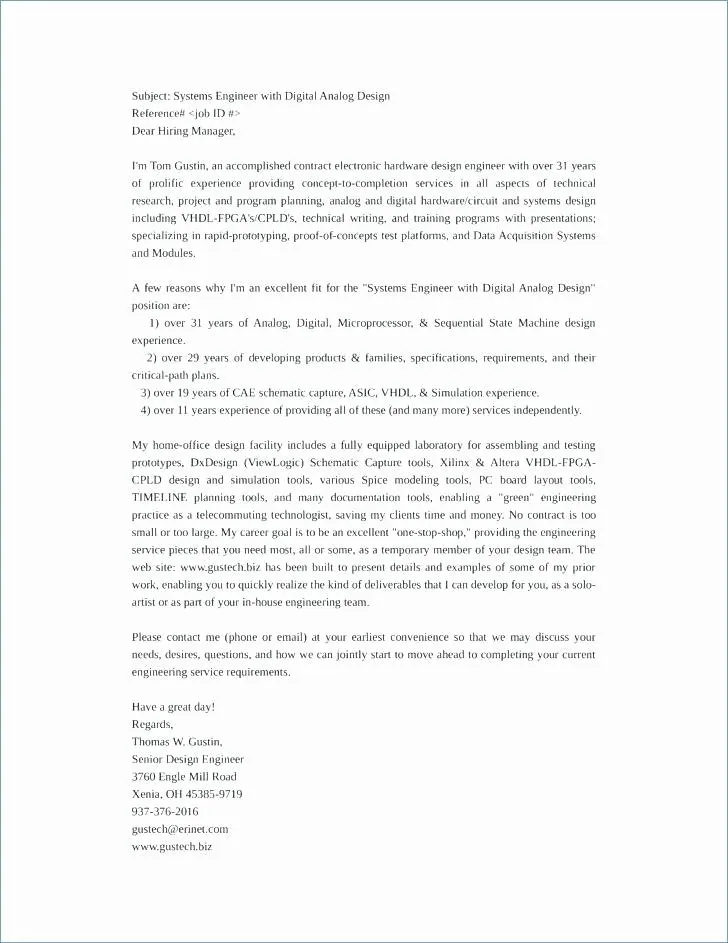
An electronic cover letter is simply a cover letter sent in a digital format, such as a PDF or a Word document, rather than a printed and mailed version. In today’s digital age, electronic cover letters have become the standard for job applications. They allow for faster and more efficient communication between job seekers and employers. It is a crucial first impression in the hiring process. Ensuring your electronic cover letter is professional, well-formatted, and properly signed is essential for making a positive impact on potential employers.
Benefits of Signing Electronic Cover Letters
Signing your electronic cover letter offers several advantages. It adds a layer of professionalism and authenticity, demonstrating that you’ve taken the extra step to ensure your application is complete and polished. A signature can also enhance credibility, showing that you stand behind the statements made in your cover letter. Furthermore, a signed document is often seen as more formal and legally binding, which can be beneficial, particularly in industries where official documentation is common. This small detail can significantly improve your chances of landing an interview.
Step 1 Choose Your Signing Method

There are several methods you can use to sign your electronic cover letter, each with its own set of advantages and suitability. The best choice depends on your technical skills, the tools available to you, and the specific requirements of the job application. Understanding each method will help you choose the one that best suits your needs and ensures your cover letter looks professional and credible.
Using Digital Signature Software
Digital signature software provides a secure and legally binding way to sign documents. Programs like Adobe Acrobat offer robust features for creating and applying digital signatures. These signatures use encryption to verify the signer’s identity and ensure that the document hasn’t been altered after signing. This method is often preferred for its high level of security and is suitable for applications where authenticity and integrity are paramount. Many of these software options offer free trials or have affordable subscription plans, making them accessible for most job seekers.
Using Online Signature Services
Online signature services, such as DocuSign or HelloSign, offer a convenient and user-friendly way to sign documents. These services allow you to upload your cover letter, add your signature, and send the signed document directly to the recipient. They often provide templates and tools to streamline the signing process, making it quick and easy. These services are especially useful if you need to send your cover letter to multiple recipients or require a more streamlined workflow. Many platforms also offer integrations with popular cloud storage services, such as Google Drive and Dropbox, making your cover letter accessible anytime, anywhere.
Using a Typed Signature
A typed signature is the simplest method, involving typing your name at the end of your cover letter. While not as secure or legally binding as digital or online signatures, it’s a perfectly acceptable option for many applications. This is especially true if the job posting doesn’t specify a particular signing method. This method is quick, easy, and requires no special software. You can simply type your full name beneath your closing remarks, such as “Sincerely,” to ensure the hiring manager knows who the application is from. While it may not provide the same level of authenticity as other methods, it still fulfills the basic requirement of identifying yourself as the applicant.
Step 2 Prepare Your Electronic Cover Letter
Before signing your cover letter, it’s crucial to ensure it is well-prepared and professional. This involves formatting the document correctly and proofreading it thoroughly to eliminate any errors. A polished cover letter demonstrates attention to detail and seriousness about the application. Taking the time to review your document before signing will help you make a positive impression on the hiring manager.
Ensure Proper Formatting
Ensure your cover letter is formatted professionally. Use a clear and readable font, such as Times New Roman, Arial, or Calibri. Maintain consistent formatting throughout the document, including the font size, line spacing, and margins. Use clear headings and subheadings to organize your content logically. A well-formatted cover letter is easy to read and shows that you value attention to detail. The correct format will help the reader easily identify key information.
Proofread for Errors

Thoroughly proofread your cover letter for any grammatical errors, spelling mistakes, or typos. Check the tone and make sure it aligns with the job you are applying for. It’s always a good idea to have someone else review your cover letter as a second pair of eyes can often catch errors you might have missed. A clean and error-free cover letter demonstrates professionalism and shows that you care about the application. Correcting errors before signing shows that you pay attention to detail and have a good eye for editing and proofreading.
Step 3 Sign Your Electronic Cover Letter
Once you’ve chosen your preferred signing method and prepared your cover letter, it’s time to insert your signature. The specific steps will vary depending on the method you’ve chosen, but the basic process involves adding your signature to the document and saving the finalized version. Properly signing your cover letter is essential for adding professionalism and credibility to your application.
Inserting the Signature
The method of inserting your signature depends on the method chosen in Step 1. With digital signature software or online services, you’ll typically upload your document and then follow the service’s instructions to add your signature. This might involve drawing your signature with a mouse, uploading an image of your signature, or using a pre-designed signature. If you’re using a typed signature, simply type your full name at the end of the cover letter, under your closing remarks. Ensure the signature appears professional and legible. The placement of the signature will typically be after the closing remarks.
Finalizing and Saving the Document

After adding your signature, review the entire document to ensure the signature is correctly placed and the formatting remains intact. Then, save the signed cover letter in a format that is widely compatible, such as a PDF. This will prevent any formatting issues when the recipient opens the document. Saving the document in PDF format ensures that your signature is preserved and the layout is retained. Always keep a copy of your signed cover letter for your records.
Step 4 Send Your Electronic Cover Letter
The final step is sending your signed electronic cover letter to the recipient. The process is usually straightforward, but there are a few things to keep in mind to ensure your cover letter is received and viewed correctly. Always double-check the email address and attach the cover letter correctly to make sure that the document is accessible to the hiring manager.
Emailing Your Cover Letter
When emailing your cover letter, always include a clear and concise subject line that specifies the job title and your name. Attach your cover letter as a PDF to maintain formatting and ensure the signature is displayed correctly. In the body of the email, include a brief message reiterating your interest in the position and thanking the recipient for their time and consideration. Before sending, double-check the email address to ensure it is correct. A professional and well-crafted email will help to enhance the impact of your cover letter.
Troubleshooting Common Issues

Sometimes, you may encounter issues when signing or sending your electronic cover letter. Common problems include formatting inconsistencies, signature display issues, and email delivery problems. If you have formatting issues, try saving your cover letter in a different format, such as PDF. If your signature isn’t displaying correctly, make sure the software you use supports the type of signature you are using. If you have delivery problems, double-check the recipient’s email address and the size of your attachment. Taking care of any technical issues will make your application stronger.
By following these simple steps, you can confidently sign and send your electronic cover letter, making a positive impression on potential employers and increasing your chances of landing your dream job. Remember that attention to detail and professionalism are essential to a successful job application. Proper signing is a crucial step in the application process.