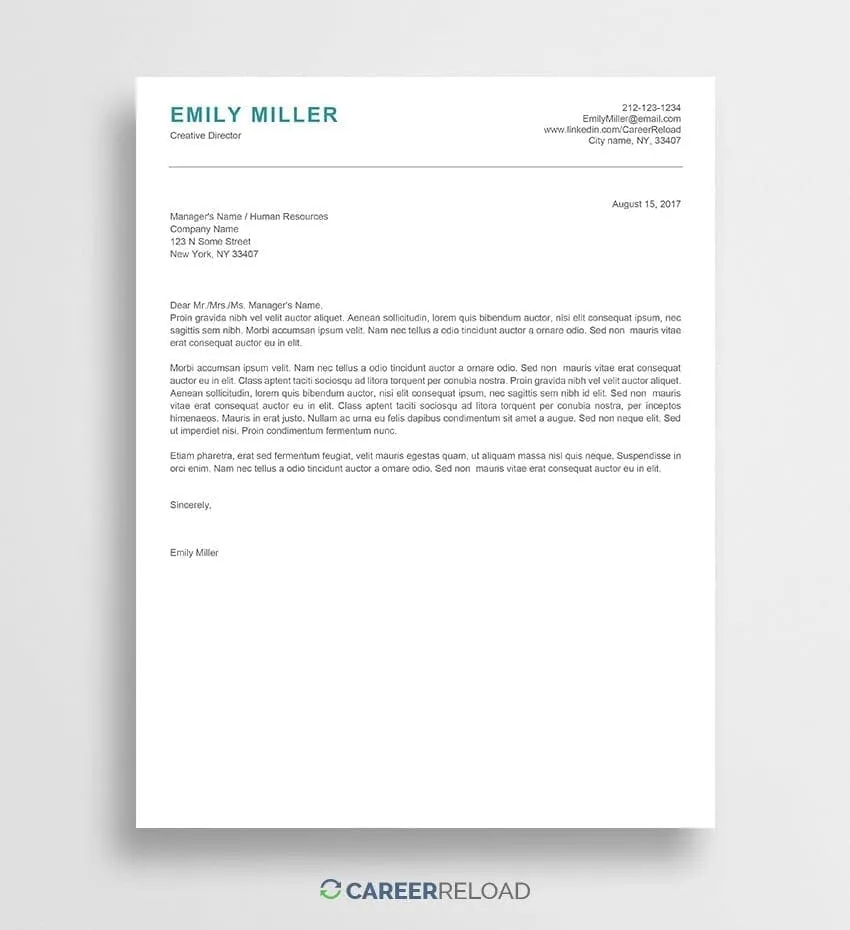
Microsoft Word Cover Letter Top 5 Tips
Creating a compelling cover letter in Microsoft Word can significantly boost your chances of landing your dream job. A well-crafted cover letter serves as your first introduction to a potential employer, and it must be professionally formatted and carefully written to capture the hiring manager’s attention. Microsoft Word provides a comprehensive suite of tools that makes creating, formatting, and customizing your cover letter easy. Understanding and utilizing the best practices of cover letter writing in Word can help you stand out in a competitive job market. This article will discuss five essential tips for creating a strong and impactful cover letter using Microsoft Word. Each tip is designed to enhance the professionalism and effectiveness of your job application, from choosing the right template to proofreading your final draft. Follow these guidelines to make your cover letter not only visually appealing but also a powerful tool in your job search.
Tip 1: Choose the Right Template
Microsoft Word offers a variety of cover letter templates to choose from. However, selecting the most appropriate template is crucial for a professional look and feel. Consider templates that are clean and simple, which are easy to read and suitable for most industries. Avoid templates that are overly complex, with excessive graphics or unusual fonts, as they can be distracting. Choose a template that aligns with the tone of the company or job you are applying for. Many users find Microsoft’s online template library useful for discovering different styles. Before settling on a template, preview it to ensure it fits your needs and preferences. The right template sets the foundation for a well-structured and visually appealing cover letter.
Customize the Template

After selecting a template, customize it to reflect your personal brand. Start by replacing placeholder text with your information, including your name, contact details, and the date. Tailor the template to match the specifics of each job application. Adjust the layout and content to highlight your relevant skills and experience. Ensure the font is professional and readable; common fonts include Arial, Calibri, and Times New Roman, sized between 10 and 12 points. Modify the color scheme if desired, keeping it professional and aligned with your personal brand or company’s branding. The goal is to create a cover letter that is both visually appealing and accurate, representing your qualifications effectively. Customization is critical to ensuring your cover letter stands out, making you appear more adaptable and attentive to detail.
Highlight Relevant Skills
Your cover letter is the perfect opportunity to highlight your most relevant skills and experiences. Carefully review the job description and identify the key skills and qualifications that the employer is looking for. Use specific examples to demonstrate how you’ve used these skills to achieve positive results in past roles. Quantify your achievements whenever possible by using numbers or data to illustrate the impact of your work. For example, if you improved customer satisfaction, state by what percentage. By highlighting relevant skills and providing concrete examples, you help the hiring manager quickly understand how your qualifications align with the job requirements. This also allows you to tailor your message specifically to the company and the role.
Tip 2: Formatting for Impact
Proper formatting is crucial for making your cover letter easy to read and visually appealing. Clean formatting can significantly improve readability, making it easier for the hiring manager to absorb the content. Effective formatting includes choosing a readable font, using appropriate margins and spacing, and breaking up large blocks of text with headings and bullet points. Aim for a clean and uncluttered design that is professional and engages the reader. Consistent formatting throughout the document adds to a professional look and feel. Remember, good formatting goes beyond aesthetics; it aids in clarity and readability. Your goal is to make it easy for the hiring manager to quickly grasp your qualifications. Utilizing Microsoft Word’s formatting tools is essential to achieving a polished final product.
Font and Readability

The choice of font significantly affects the readability of your cover letter. Select a font that is professional and easy to read, such as Arial, Calibri, or Times New Roman. These fonts are widely accepted and known for their clarity, ensuring your cover letter is accessible to all readers. Avoid using overly decorative or complex fonts, as they can be difficult to read, especially in print. Maintain a font size between 10 and 12 points for optimum readability without overwhelming the page. Consistent use of the same font throughout the document will maintain a professional appearance. You should also consider the contrast between the font color and background; black text on a white background is generally the most readable combination. Font choice is a subtle yet essential element for making a positive first impression.
Margins and Spacing
Margins and spacing greatly impact the visual appeal and readability of your cover letter. Set the margins to one inch on all sides. This provides a balanced look and prevents the text from appearing crowded. Use single or 1.15 line spacing for the body of your letter, as it aids in comfortable reading. Double spacing can be appropriate between paragraphs, but avoid excessive spacing. Proper spacing and margins allow the text to breathe, which makes it easier for the reader to scan and comprehend information. Consistent use of these elements enhances the overall professionalism of your cover letter. Pay attention to the alignment; left alignment is generally the most reader-friendly choice for the body of the text. Use the paragraph and spacing options in Microsoft Word to get the desired layout.
Tip 3: Tailor to the Job
Generic cover letters are easily spotted and often lead to rejection. The most effective cover letters are tailored to each job application. This means customizing your letter to the specific requirements of the role and the company to which you are applying. Begin by reviewing the job description and highlighting the skills, experience, and qualifications that align with the employer’s needs. Show the hiring manager that you understand their needs and are a good fit for their company. Tailoring involves more than just changing a few words; it requires a thorough understanding of the role and organization. Demonstrate your genuine interest by referencing details from the job description and the company website. This effort showcases your dedicated approach.
Research the Company

Before writing your cover letter, research the company. Visit their website, read the ‘About Us’ section, and check their social media profiles. Understand their mission, values, and recent initiatives. This knowledge lets you tailor your cover letter to show how your skills and experiences align with the company’s goals. In your cover letter, reference specific company projects or values that resonate with you. This demonstrates that you’ve taken the time to understand the company and are genuinely interested in working there. This level of understanding is crucial to increasing your chances of making a positive impression. Research will also help you identify the right keywords and demonstrate how you can contribute to the company’s success.
Use Keywords from the Job Description
Carefully examine the job description for the keywords and phrases used to describe the skills, experience, and qualifications the employer is seeking. Incorporate these keywords naturally throughout your cover letter. Use the same language as the job description to highlight your relevant skills and experiences. This not only shows that you meet the requirements of the job but also helps your application get through applicant tracking systems (ATS). ATS scan cover letters and resumes for particular keywords. Including these keywords will increase your chances of having your application reviewed by a human. When you reuse keywords, make sure you integrate them naturally and in the context of your experience and achievements.
Tip 4: Focus on Achievements
Rather than simply listing your responsibilities, focus on showcasing your achievements. Use your cover letter to highlight what you have accomplished in previous roles. Showcase specific instances of how you made a positive impact, solved problems, or exceeded expectations. Focusing on your achievements is more impactful than stating what you did. Concentrate on the results you achieved. Use action verbs to describe your accomplishments and quantify your achievements whenever possible. For example, instead of saying “Managed a team,” say “Managed a team of 10 employees, increasing productivity by 15%.” Your cover letter should tell a success story, detailing what you have done and what you can do for the employer.
Quantify Your Accomplishments

Quantifying your accomplishments makes your cover letter more compelling and demonstrates your value to potential employers. Use numbers, percentages, and data to illustrate your achievements whenever possible. For example, if you improved sales, mention the percentage increase. If you saved the company money, specify the amount saved. If you completed a project ahead of schedule, indicate by how many days or weeks. Quantifiable achievements provide concrete evidence of your capabilities and make it easier for the hiring manager to understand the impact you can make in the role. Use metrics that are relevant to the job and align with the company’s goals. Quantifying your accomplishments transforms your cover letter from general statements into a more persuasive document.
Use Action Verbs
Employing strong action verbs can make your cover letter more engaging and dynamic. Action verbs highlight what you did and emphasize your accomplishments. Start your sentences with action verbs such as “achieved,” “managed,” “developed,” “implemented,” “led,” “created,” and “increased.” These verbs demonstrate to the hiring manager that you are proactive and results-oriented. Use a variety of action verbs when describing your responsibilities and accomplishments to keep your cover letter interesting. Avoid using passive language; use active voice to show your impact. Action verbs bring your cover letter to life and create a positive impression on the reader.
Tip 5: Proofread and Polish
Proofreading and polishing your cover letter is the final, essential step. Errors in grammar and spelling can undermine your credibility and make you appear unprofessional. Thoroughly review your cover letter for any mistakes. Use Microsoft Word’s built-in spell check and grammar check tools; however, do not rely solely on these tools, as they might not catch every error. Take the time to carefully read through your cover letter to ensure accuracy and clarity. A polished cover letter demonstrates your attention to detail and your commitment to excellence.
Check for Grammar and Spelling

Carefully check your cover letter for grammatical errors and spelling mistakes. Such errors can be distracting and reduce the impact of your message. Use the spell check and grammar check features in Microsoft Word, but always read through the document yourself. Pay attention to punctuation, subject-verb agreement, and sentence structure. Correct all typos and errors. Ensure your language is clear and concise. A cover letter with errors suggests a lack of attention to detail, which is a significant disadvantage. A clean, error-free cover letter demonstrates professionalism and respect for the hiring manager’s time.
Get a Second Opinion
Ask a friend, family member, or career counselor to review your cover letter. A second pair of eyes can catch errors you might have missed. Another person can offer feedback on the clarity, tone, and overall effectiveness of your letter. They can also suggest improvements and identify areas where you can strengthen your message. Getting a second opinion is invaluable in the proofreading process. The fresh perspective can help determine whether your letter is clear, persuasive, and tailored to the job requirements. Ensure the person reviewing your letter understands the importance of a cover letter and can provide constructive criticism.